
Rewatching hours of footage
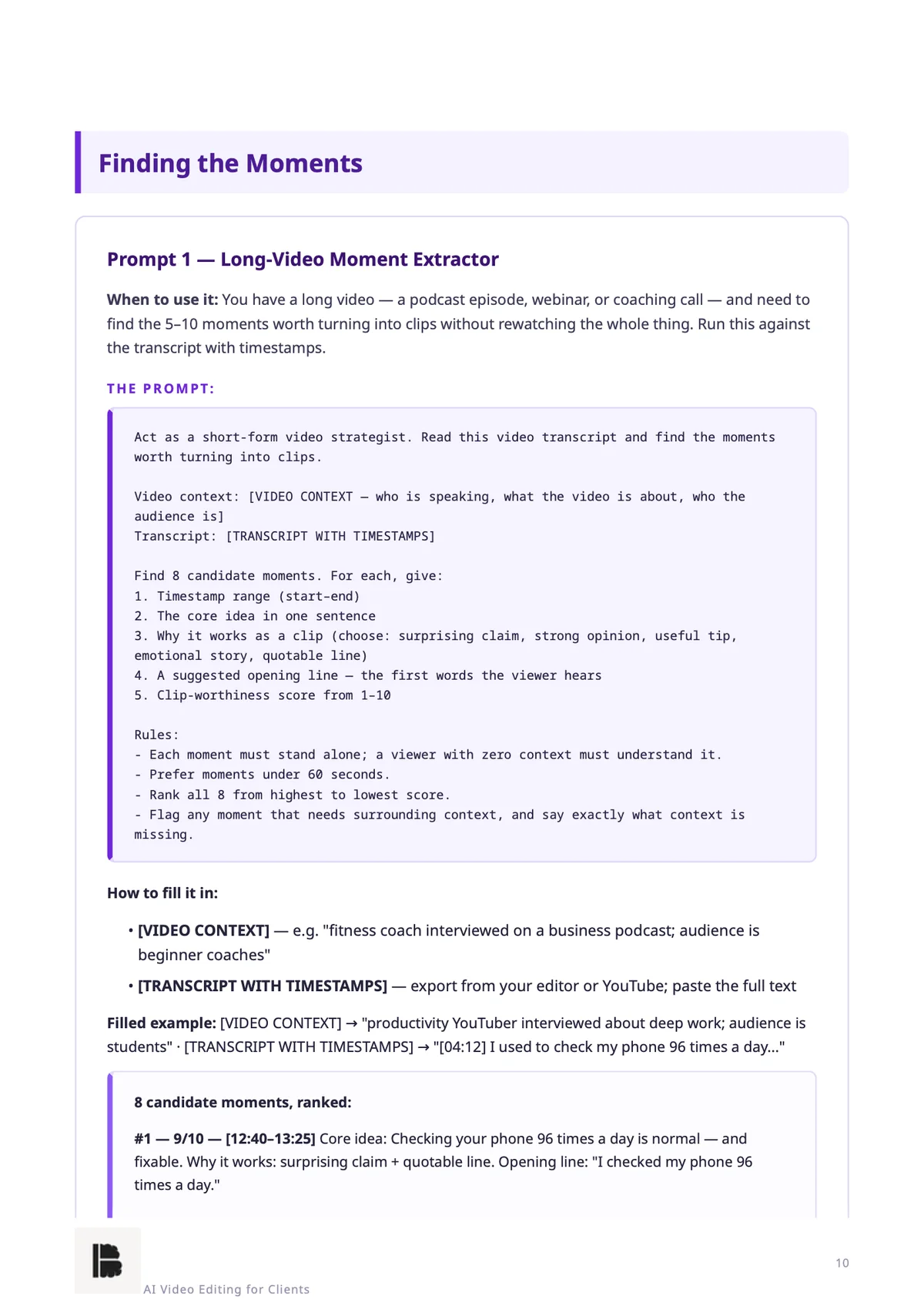
A 60-minute podcast lands in your inbox and you scrub through all of it looking for the 5–10 moments worth clipping.
A Built Brains Academy publication · builtbrains.com
EDIT VIDEOS FOR CREATORS WITH AI
105 ready-to-use, copy-paste prompts that take you from raw footage to client-ready clips and full videos — plus the toolkit, client-getting, pricing and delivery systems that turn editing into a service.
Real pages from the 164-page PDF you download. Tap any page to zoom in.
Editing for clients sounds simple. Then the footage, the packaging and the client all arrive at once.
A 60-minute podcast lands in your inbox and you scrub through all of it looking for the 5–10 moments worth clipping.
The clip is cut, but the opening doesn't earn the scroll-stop — and you're not sure which line should go first.
Nobody hires a video editor. They hire the editor who already understands their channel — and generic pitches get ignored.
Unclear turnarounds, endless revision rounds and prices you invented on the spot. Clients rarely leave over one bad edit — they leave when delivery feels chaotic.
The editing was never the hard part. Running it like a service was.
Six modules, 105 prompts — from the clipping workflow to monthly retainers.
MODULE 1
25 prompts
From one long video to a week of finished short clips: finding the moments worth clipping, writing hooks, titles and captions, formatting for each platform, and a repeatable assembly process.
MODULE 2
20 prompts
Raw footage to client-ready video: structure and pacing, intros and outros, b-roll and sound polish, captions — and a review process that catches problems before the client does.
MODULE 3
10 prompts
Pick a beginner editing stack without overspending, decide what's worth paying for, and set up file organization, backups and export settings from project one.
MODULE 4
20 prompts
Positioning for a specific type of creator, the trial-edit offer, DM and email scripts, follow-ups, agency pitches and portfolio assets.
MODULE 5
15 prompts
Per-clip and per-video rates, three-tier monthly retainers, and the policies — revisions, rush fees, deposits, scope — that protect your margins.
MODULE 6
15 prompts
Onboarding, turnarounds you can hit, delivery checklists, client updates, revision management and the monthly retainer workflow.
Quick-Start Guide — Your First Trial Edit
In about an hour: run the clipping workflow once, end to end, and send your first trial-edit offer.
Four printable Cheat Sheets
The Clip Assembly Line, Export Settings by Platform, the Hook Formula Bank and the Outreach Message Bank.
Trial-Edit-to-Retainer Kit
Ready-to-use outreach templates, a pricing calculator that turns your costs into quotes, and a revision policy template.
Variables use plain [BRACKETS], so you always know what to replace. Example outputs show what good output looks like — a reference for judging your own runs, not a guaranteed result.
The Quick-Start Guide gets you through the whole loop in about an hour.
A long video you have the right to use — ideally from a creator you'd like to work with — plus a timestamped transcript.
Moment extractor, hook writer, structure planner, caption writer — then cut one packaged 30–60 second clip.
Use the Trial-Edit Offer Script, attach your practice clip as the sample, and send it.
An honest filter — we'd rather you not buy than buy the wrong thing.
AI Video Editing for Clients makes you faster and more organised at a service you're willing to run. It doesn't do the work for you.
A real person, not a faceless brand.
Hi, I'm [Your Name]. [2–3 lines about you — why you built AI Video Editing for Clients, and what you watched new editors struggle with.]
Built Brains Academy is my publishing label for pre-built AI systems — practical tools, no fluff, no hype. If you ever need help with the product, you reach me directly.
Instantly after checkout. You get a download link for the designed PDF (164 pages) with all 105 prompts, the Quick-Start Guide, four cheat sheets and the Trial-Edit-to-Retainer Kit.
An AI assistant to run the prompts, and a video editor to cut the footage. Module 3 — Your Toolkit helps you choose a beginner editing stack and decide what's worth paying for before you spend anything.
No. AI finds the moments, drafts the hooks, captions and plans, and checks the work — you cut the video in your editor and make the final calls. The prompts remove the guesswork around the edit, not the edit itself.
With the Quick-Start Guide. In about an hour you pick a practice video, run the clip assembly line once, and send one trial-edit offer to a creator you actually watch. Module 4 then turns that into a repeatable outreach system.
Not exactly — and we say so in the book. Example outputs are illustrations of good output to judge your runs against. Your results depend on your inputs and the AI tool you use.
Yes. Buyers receive all future updates to this edition free. The PDF includes a changelog so you can see what's new.
No. One payment, yours to keep. No recurring charges.
Every system is covered by a 7-day money-back guarantee — email us within 7 days of purchase for a full refund, no questions asked.
Run the Quick-Start Guide and the clipping workflow for a week. If it doesn't make editing for clients noticeably easier, email us within 7 days for a full refund — no questions, no forms, no hard feelings.
105 prompts, four cheat sheets and the Trial-Edit-to-Retainer Kit — everything you need to edit videos for creators as a real service, starting today.
$19
Get Instant Access