
Photoshoots for every SKU
Studio time, props and a photographer for every new product isn't realistic for small sellers — so their listings stay tired.
A Built Brains Academy publication · builtbrains.com
SELL PRODUCT PHOTOGRAPHY WITH AI
110 ready-to-use, copy-paste prompts that take you from a blank prompt to a studio-quality catalog — shot prompts, style systems, editing and polish — plus the client-getting, pricing and delivery systems that turn product photos into a service business.
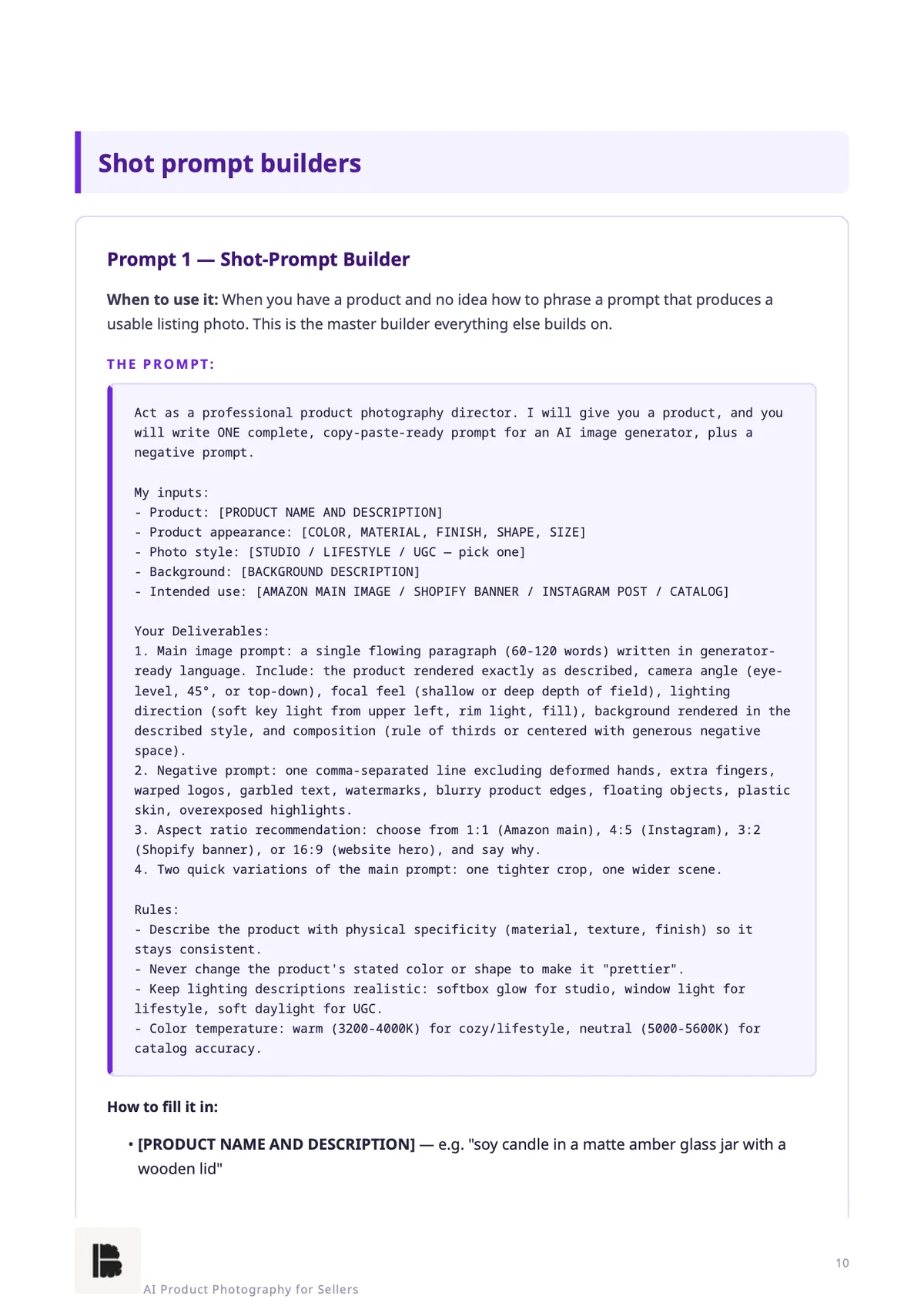
Real pages from the 232-page PDF you download. Tap any page to zoom in.
Online sellers live and die by their photos. Most of them are still using dark phone snapshots.
Studio time, props and a photographer for every new product isn't realistic for small sellers — so their listings stay tired.
One beautiful shot sells one product. A catalog where every photo looks different is a catalog no one trusts.
Every generation has artifacts, rough edges and wrong colours a client would never accept — and marketplaces penalise misleading images.
"I can make great product photos" gets ignored. A free sample of their actual product doesn't.
AI generates. You curate. The refinement pass is what the client is really paying for.
Six modules, 110 prompts — from the first sample photo to repeat catalogs.
MODULE 1
25 prompts
Turn a plain product description into listing-ready image prompts — studio looks, lifestyle scenes, seasonal variants, coverage angles, catalog backgrounds — and one product into ten shots.
MODULE 2
20 prompts
Brand style, palette, lighting and props locked into reusable prompt blocks, so every shot across every SKU looks like it came from the same studio.
MODULE 3
15 prompts
The human refinement pass: cleanup, shadow and reflection repair, safe upscaling, true-colour correction, platform formatting and the final listing-ready QC.
MODULE 4
20 prompts
Spot sellers whose photos are losing them sales, make free sample photos of their actual products, and turn that into a trial-to-client pipeline.
MODULE 5
15 prompts
Per-image rates, batch packs, monthly retainers, rush fees, proposals and scope protection — and the words to hold the line when someone pushes back.
MODULE 6
15 prompts
Onboarding that prevents revision hell, delivery checklists, catalog file systems clients can navigate, and repeat-order workflows.
Quick-Start Guide — Your First Sample Photo
In about two hours: three sample shots of one real seller's product — a studio hero, a lifestyle scene and a detail close-up — and your first outreach.
Four printable Cheat Sheets
Shot-List One-Pager, Style-Consistency Checklist, Platform Spec One-Pager and the Prompt-Formula Bank.
Product Photo Client Kit
A sample-photo outreach script, pricing calculator, proposal template, delivery templates, and revision and scope templates.
Variables use plain [BRACKETS], so you always know what to replace. Example outputs show what good output looks like — a reference for judging your own runs, not a guaranteed result.
The Quick-Start Guide takes you through the whole loop in about two hours.
An Instagram D2C shop, a marketplace listing with dark phone snapshots, or a brand site with one blurry angle.
A studio hero, a lifestyle scene and a detail close-up of one real product — then the cleanup and QC pass.
Use Template A from the Product Photo Client Kit, attach the three samples, and lead with their product.
An honest filter — we'd rather you not buy than buy the wrong thing.
AI Product Photography for Sellers makes you faster and more consistent at a service you're willing to run. It doesn't do the work for you.
A real person, not a faceless brand.
Hi, I'm [Your Name]. [2–3 lines about you — why you built AI Product Photography for Sellers, and what you watched new product photographers struggle with.]
Built Brains Academy is my publishing label for pre-built AI systems — practical tools, no fluff, no hype. If you ever need help with the product, you reach me directly.
Instantly after checkout. You get a download link for the designed PDF (232 pages) with all 110 prompts, the Quick-Start Guide, four cheat sheets and the Product Photo Client Kit.
An AI assistant to run the prompts and an AI image generator to produce the shots, plus a simple editor for the polish pass. The prompts build complete image prompts you paste into your generator.
No — and the book is clear about it. Generators produce raw material with artifacts, rough edges and wrong colours. Module 3 is the human refinement pass: cleanup, colour correction, platform specs and a final QC before anything reaches a client.
Only if they represent the product accurately. The book builds accuracy into the workflow — true colours, real materials, no implied extras — because marketplaces penalise misleading images.
Not exactly — and we say so in the book. Example outputs are illustrations of good output to judge your runs against. Your results depend on your inputs and the AI tool you use.
Yes. Buyers receive all future updates to this edition free. The PDF includes a changelog so you can see what's new.
Every system is covered by a 7-day money-back guarantee — email us within 7 days of purchase for a full refund, no questions asked.
Make your first three sample photos with the Quick-Start Guide. If the system doesn't make product photography for clients noticeably easier, email us within 7 days for a full refund — no questions, no forms, no hard feelings.
110 prompts, four cheat sheets and the Product Photo Client Kit — everything you need to sell product photography as a real service, starting today.
$19
Get Instant Access